Edit Triggers
Learn how to Edit Triggers.
If you want to make changes to running bots, you can simply adjust the trigger inputs. This allows for quick and easy updates.
Important:
Updating active triggers will affect the bot's logic when the next trigger is activated, as it will adopt the latest/new trigger configuration.
Where to Edit Triggers:
-
View Bot
-
Select Triggers Tab
-
Select Trigger / Pencil Icon
-
On the Bot-Specific Page, select the bot you want to modify the triggers for:

-
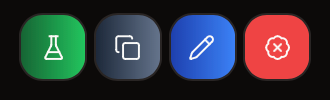
In the Trigger Section, locate the blue Pencil Icon and click it:
-
This will open a popup, based on whether you have a Spot or Futures bot running:
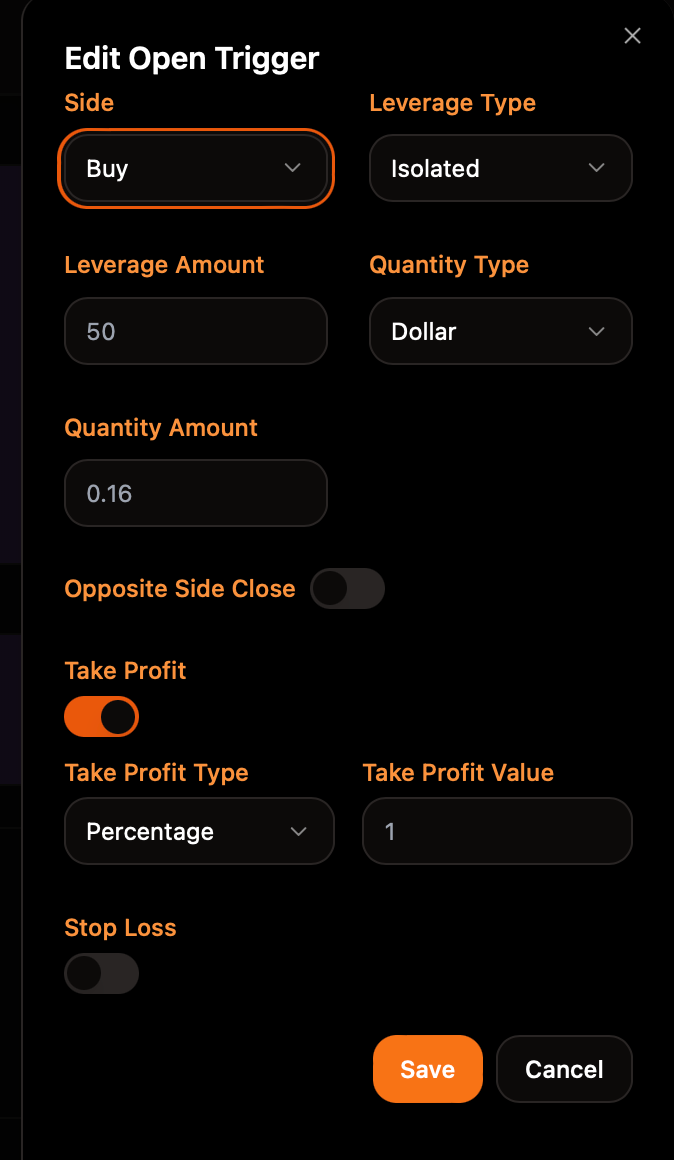
Editable Fields for Futures:
-
trigger_quantity_value (
float): Edit the quantity value for the trigger, e.g., set it to50.0for a different quantity. Works in conjunction with trigger_quantity_type. -
trigger_quantity_type (
string): Specify the quantity type (e.g.,"dollar","asset","percentage") to define how trigger_quantity_value is measured. -
trigger_quantity_side (
string): Set the direction in which the trigger will open a position. -
trigger_limit_price (
float): For limit orders, specify a price by setting the limit price (e.g.,60000.0). Ensure trigger_order_type is set tolimitwhen using this field. -
trigger_leverage_type (
string): For futures, set the leverage type (e.g.,"isolated"or"cross"), taking into account any exchange limitations on changing leverage types with open positions. -
trigger_leverage_value (
int): Adjust the leverage value, e.g., set it to5for 5x leverage. -
trigger_tp_type (
string): Edit the take profit type (e.g.,"percentage","dollar","price"). -
trigger_tp_value (
float): Set the take profit value, such as10.0to take profit at a 10% price increase if trigger_tp_type is set to"percentage". -
trigger_sl_type (
string): Edit the stop loss type (e.g.,"percentage","dollar","price"). -
trigger_sl_value (
float): Define the stop loss value, setting it based on a percentage or amount that will trigger the stop loss. -
trigger_opposite_close (
boolean): This flag enables closing the opposite position before placing a new one.
Editable Fields for Futures Close:
-
trigger_quantity_side (
string): Define the direction in which the trigger will close a position. -
trigger_quantity_value (
float): Adjust the trigger's quantity value, for example, to50.0. Works in conjunction with trigger_quantity_type. -
trigger_quantity_type (
string): Specify the type of quantity (e.g.,"dollar","asset","percentage"), defining how trigger_quantity_value is measured.
Editable Fields for Spot:
-
trigger_quantity_side (
string): Define the direction in which the trigger will open a position. -
trigger_quantity_value (
float): Adjust the trigger's quantity value, for example, to50.0. Works in conjunction with trigger_quantity_type. -
trigger_quantity_type (
string): Specify the type of quantity (e.g.,"dollar","asset","percentage"), defining how trigger_quantity_value is measured.