Pausing Bots
This section will show you how to pause and activate bots.
By default, a newly created bot will be active, and you'll have the option to pause or stop the bot. A bot must be stopped before it can be deleted.
- How to check the status of your bot:
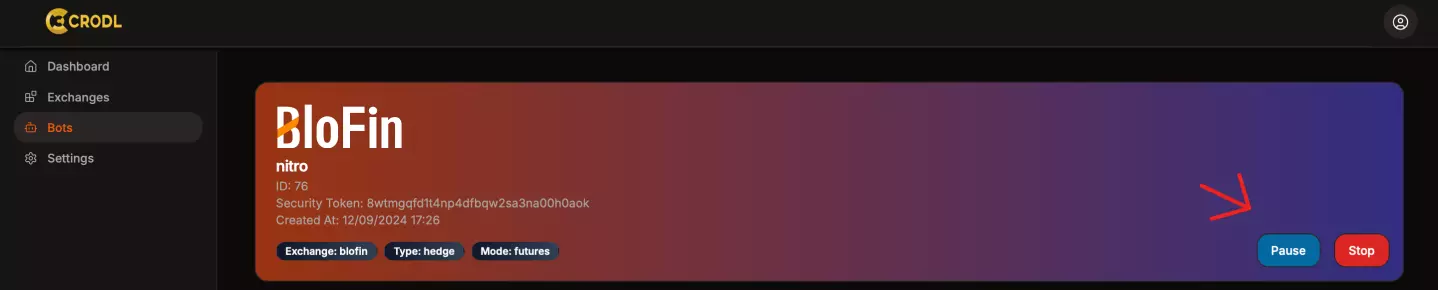
An Active bot will display the option to Pause.
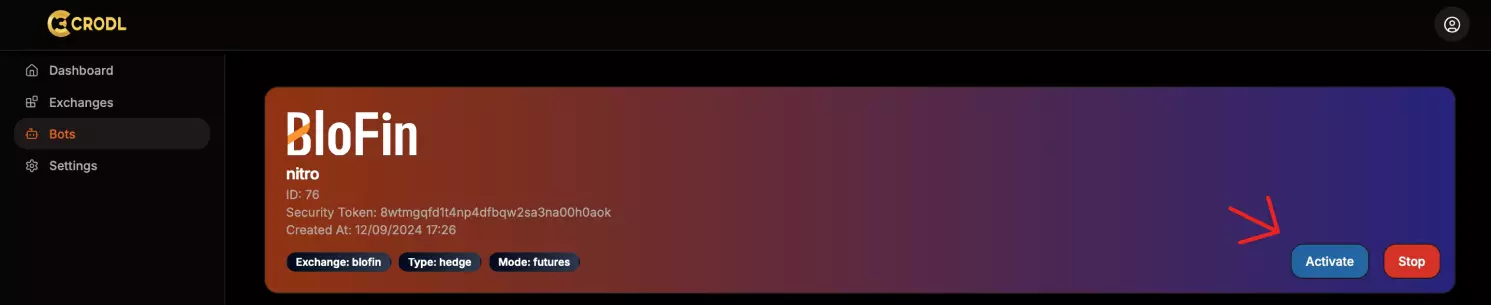
A Paused bot will display the option to Activate.
- The bot allows for two types of closure:
Manual, as shown above using the bot itself, or you canAutomatethe process of activating and pausing the bots.
Webhook for Pausing/Activating Bots
- You can
PauseorActivateyour bot using TradingView webhooks:
Remember:
The bot only accepts paused and active as valid statuses. To delete your
bot, use the app itself.
- Webhook URL for changing status:
https://api.crodltrading.com/v1/bots/status
Example of a message/alert body for TradingView:
  {
  "new_status": "active",
  "bot_id": 75,
  "security_token": "8wtmgqfd1t4np4dfbqw2sa3na00h0aoq"
  }
- new_status: Options available are
activeandpaused. - bot_id: This is the bot ID you want to change the status of, and it should be an integer (e.g., 1, 2) and not a string (e.g., "1", "2").
- security_token: This is your security token. Do not share this, as it is linked to your API keys.
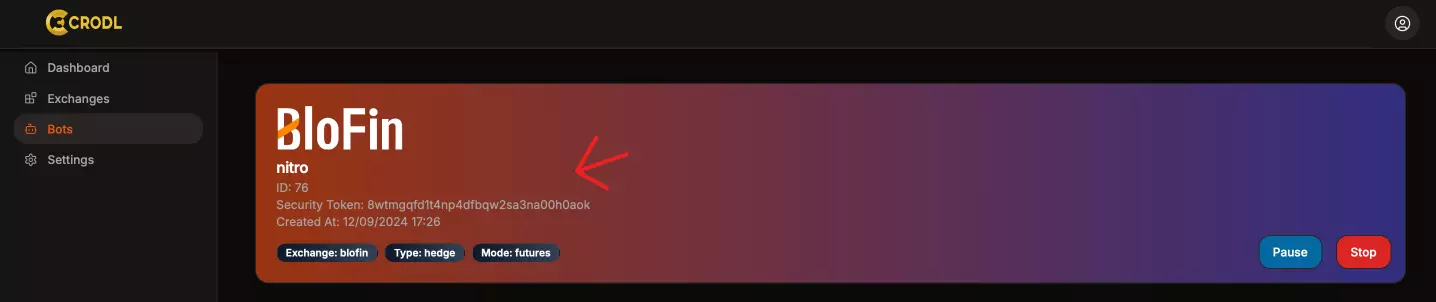
To find this information, go to your bot's specific page:
Template to copy
https://api.crodltrading.com/v1/bots/status
  {
  "new_status": "",
  "bot_id": 0,
  "security_token": ""
  }