Crodl Nitro Strategy
Learn how to use the Crodl Nitro strategy, including setting up entries, exits, and alert messages.
The Crodl Nitro indicator is a custom TradingView strategy that helps traders automate their trading based on specific conditions and alert messages. This strategy allows users to configure long-only, short-only, or both side entries, set different exit conditions (such as TP/SL, Trailing, RSI, and MACD), and send alerts based on custom trigger IDs.
- To get started, add the Crodl Nitro indicator to your chart from the Invite-Only tab under Indicators.
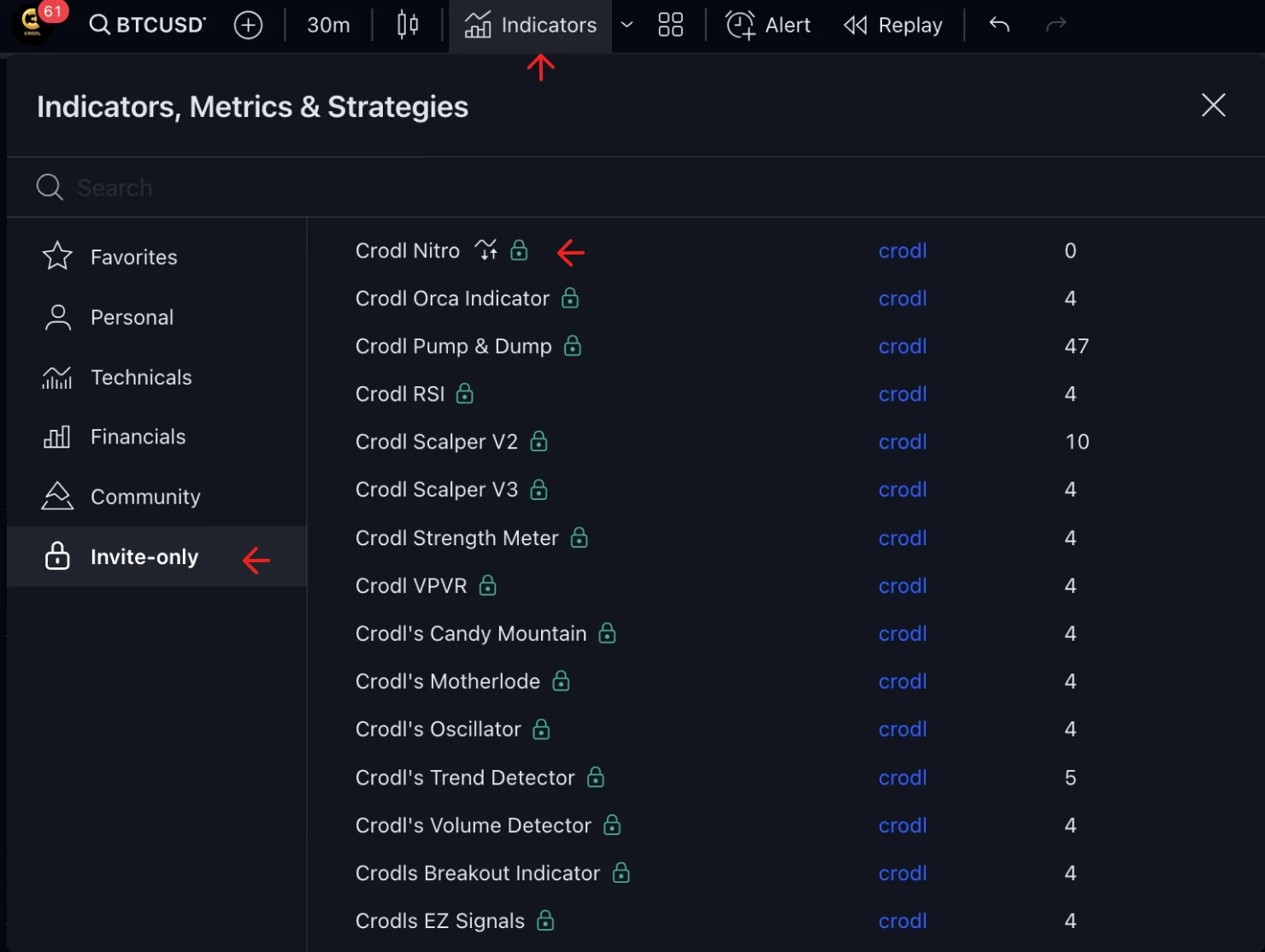
Configuring Entries
The strategy allows users to choose which sides to trade (Both, Long, or Short). You can also set up custom entry trigger alerts for both long and short positions.
- ATR Length: Determines the ATR period used for setting entry points.
- Factor: Sets the multiplier for the ATR, which helps define volatility-based entries.
- Choose Sides: Select the sides you'd like to trade. (Keep in mind that this affects the outcome of the indicator, as it will only wait for the trade to close based on the exit method before placing a new trade.)
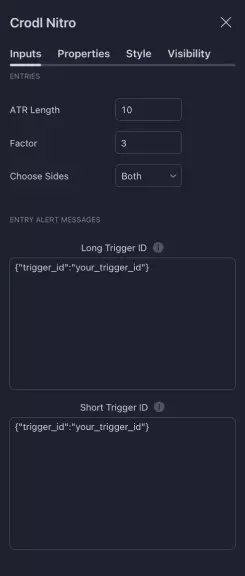
Entry Alert Setup
To configure alerts for entries, input your custom trigger IDs. These will be sent whenever the conditions for long or short trades are met.
- Long Trigger: Set up a custom trigger ID for long entries.
- Short Trigger: Set up a custom trigger ID for short entries.
Tip:
Use Reversal Close: Using Reversal Close means that if you have an open long trade and a short alert is triggered, it will close the long position before placing a new short trade, and vice versa.
Choosing Exit Types
The strategy provides multiple exit types to manage risk and automate profit-taking:
- TP/SL: Configure fixed Take Profit (TP) and Stop Loss (SL) percentages for both long and short positions.
- Trailing: Use trailing stops to lock in profits as the price moves.
- RSI: Close positions based on RSI overbought or oversold levels.
- MACD: Exit trades when the MACD signal line crosses.
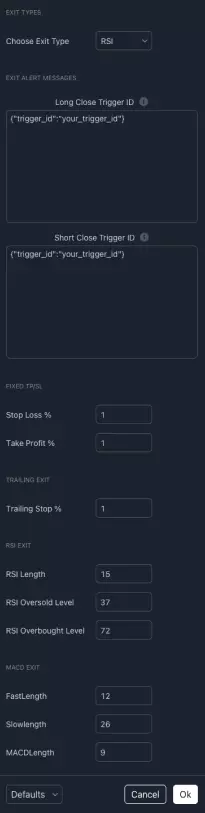
Example of TP/SL Exit
If you choose the TP/SL option, the strategy will exit trades when your predefined stop loss or take profit levels are reached.
- Stop Loss %: Set the percentage below/above your entry price to define your stop loss.
- Take Profit %: Set the percentage above/below your entry price to define your take profit.
On the bot, you need to create a closing trigger.
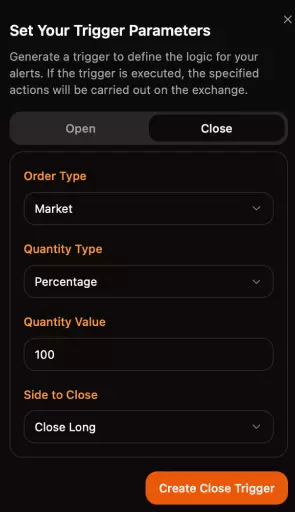
Closing Full Position:
To close a full position, make sure to set the Quantity Type to
Percentage and the Quantity Value to 100. The Side to Close should
be set to the side you want to close, e.g., to close a long position, the
Side to Close should be Close Long.
Manage Alerts
You might wonder how to set alerts with different exit types.
Important:
The script will automatically detect the exit types you have set, and the alerts will adapt accordingly. For example, if you create a closing trigger of 100%, it will function whether you have a TP/SL or RSI exit. The alert will check your selected configuration and trigger based on your settings. This way, you only need to manage 2 entry alerts and 2 exit alerts.