Spot Logs
Overview of Where to Find Logs for Spot Bots
Overview
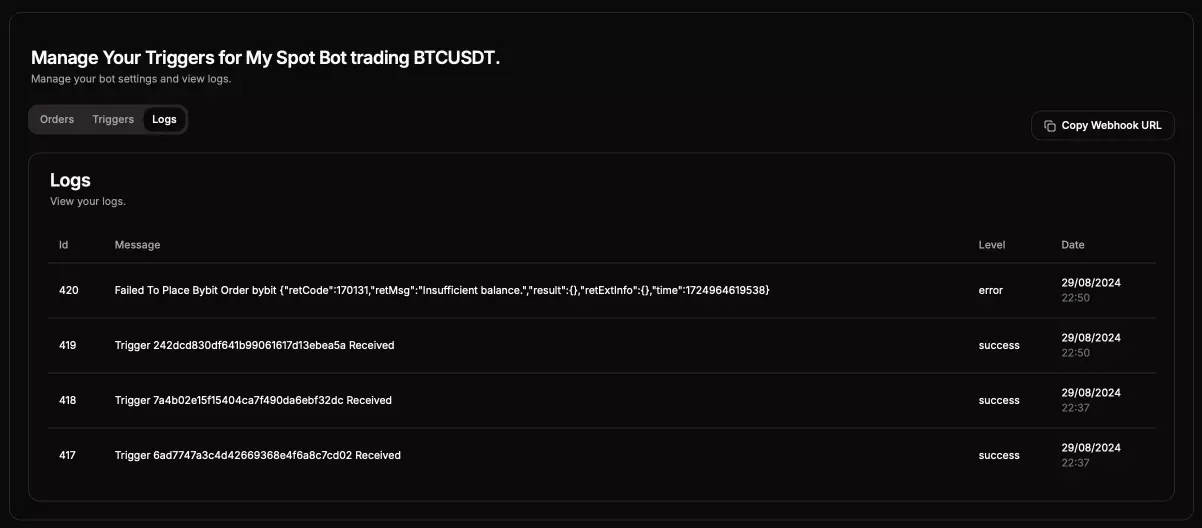
Here’s an example of how your Logs tab will look for a spot bot:
Logs Information Breakdown
- ID: The unique identifier for each log entry.
- Message: Displays the log message, which includes both successful triggers and reasons why specific orders may have failed. If a trigger was not received, check your webhook URL, as it's likely the bot did not receive the trigger.
- Level: Indicates the log level:
Success,Warning, orError. - Date: The date and time when the log entry was recorded.
Additional Information
For further details on why something may have failed, and if the information is not available here, please reach out to our support team on Discord and create a support ticket.