Crodl Grid Trader Strategy
Learn how to use the Crodl Grid Trader strategy, including setting up grid entries and exits.
The Crodl Grid Trader is a custom TradingView strategy designed for grid-based trading, ideal for spot markets. This strategy allows users to configure grid levels, dynamic entries, and custom exit conditions (such as TP/SL), and send alerts based on custom trigger IDs.
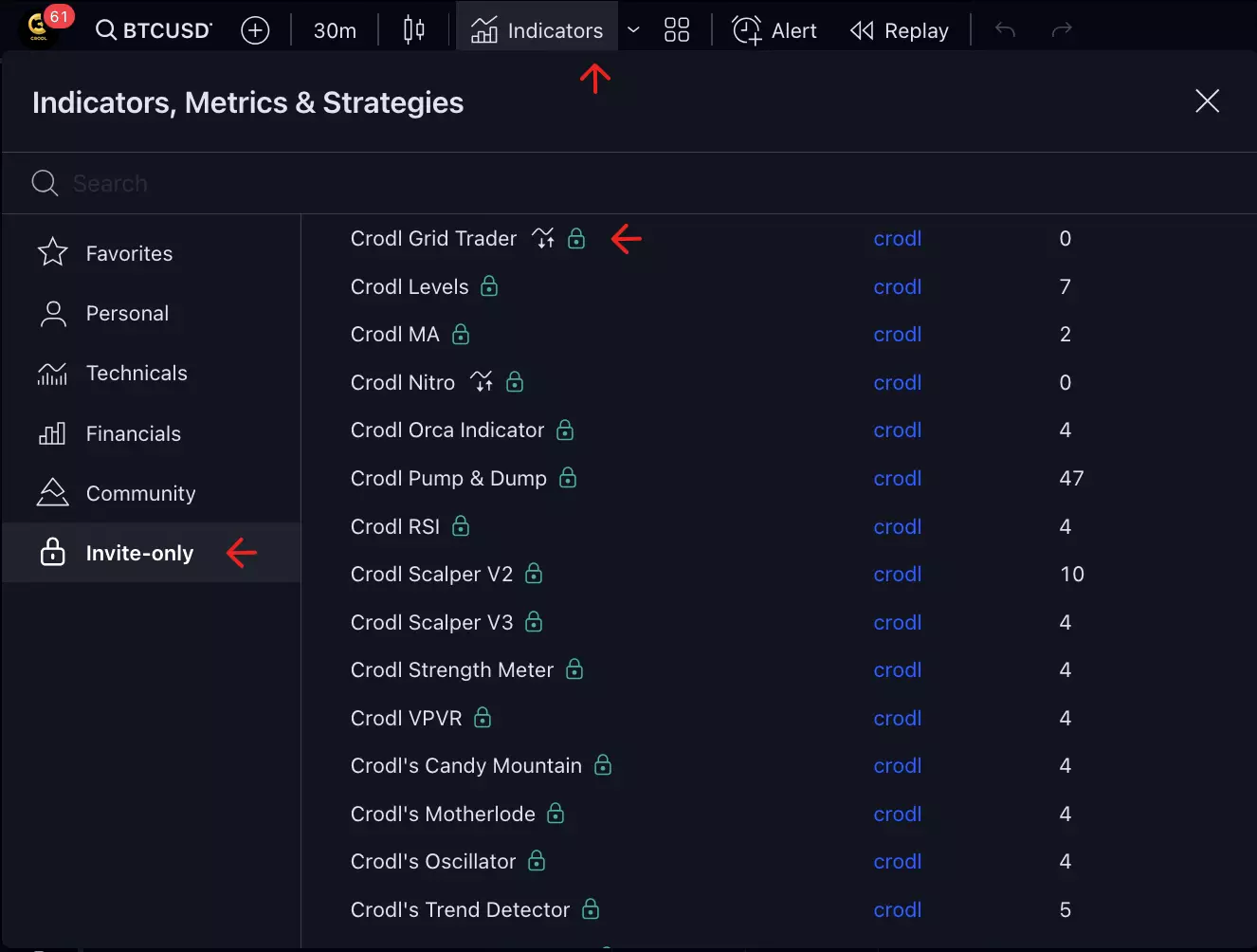
- To get started, add the Crodl Grid Trader indicator to your chart from the Invite-Only tab under Indicators.
Configuring Grid Entries
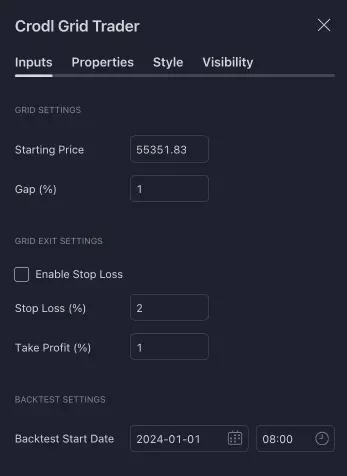
The strategy automatically places long entries at multiple grid levels, dynamically calculated based on a customizable gap percentage. You can configure the grid levels and adjust parameters to match your trading needs.
- Starting Price: Set the initial price for the grid levels to be calculated.
- Grid Gap: This is percentage-based and will define the gap between the Starting Price and your buy entry.
- Enable Stop Loss: You can decide whether to enable or disable the Stop Loss feature. If enabled, you can set a stop loss percentage with
Stop Loss (%). - Stop Loss (%): The percentage for your stop loss from the entry price of the specific order.
- Take Profit (%): The percentage for your take profit from the entry price of the specific order.
- Backtest Start Date: Set the date/time for when you want your indicator/backtester to show the trades it took or the trades you are currently in.
Tip:
Ensure your grid levels are appropriately spaced to capture market movements without overtrading. The gap percentage plays a key role in determining the distance between each grid level.
Alert Setup
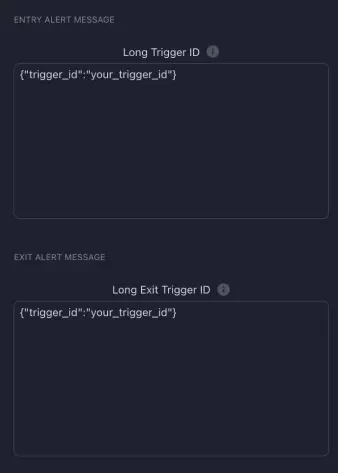
To configure alerts for grid entries, input your custom trigger IDs. These will be sent whenever a grid entry condition is met.
- Long Trigger: Set up a custom trigger ID for long entries.
- Long Exit Trigger: Set up a custom trigger ID for exits. This is required and will handle both Take Profits and Stop Losses if
Enable Stop Lossis activated.
Alert Inputs
The strategy requires two Trigger IDs, one for entries and the other for exits, which will manage both Take Profit and Stop Loss if Enable Stop Loss is active.
Example for Spot Trading
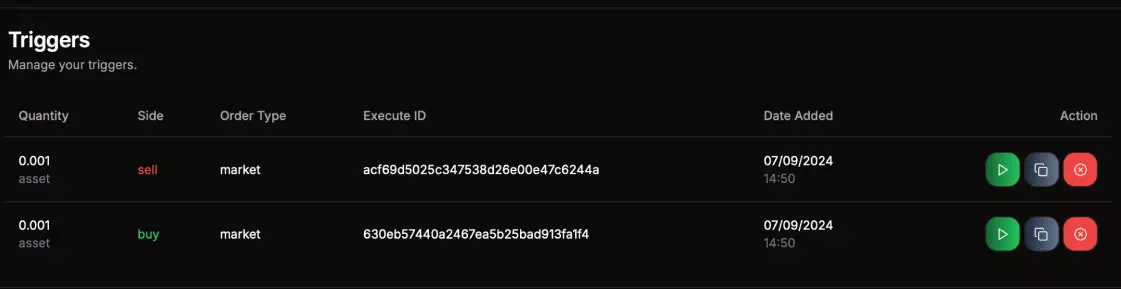
When using the Grid Strategy for spot trading, you'll have a Buy and a Sell trigger ID for entries and exits.
- Entries: To get the most out of grid entries, set your bot's Quantity to
Assetso that you can specify the amount to enter at each grid level. - Exits: Similarly, set the Quantity to
Assetfor exits so that you can specify the amount to sell at each grid exit level.
Leverage Grid
You can also set up this indicator for leveraged trading. However, be cautious of potential drawdowns and ensure you set a Stop Loss for significant market drops since grid trading is a slower strategy for ranging markets.
Important:
Setting up a Grid Bot with leverage can be challenging as exchanges may not allow more than one position per side. This can result in averaging into your position, which might be confusing if you are inexperienced with bots and algo trading.
Stay tuned for more details in the documentation as we continue to expand the functionality of the Crodl Grid Trader!