Binance Position Mode for Futures
How to change position mode.
Visit the Binance Website Futures Page
Go to https://www.binance.com/en/futures/BTCUSDT. Ensure you are logged in and viewing a futures symbol, as each symbol has its own settings.
Step 1 - Navigate to the Settings Icon in the Top Right
In the top-right corner, you will see a settings icon. Clicking it will display all the settings you can change for this symbol, including the position mode.
-
Select Settings.

-
Select Position Mode.
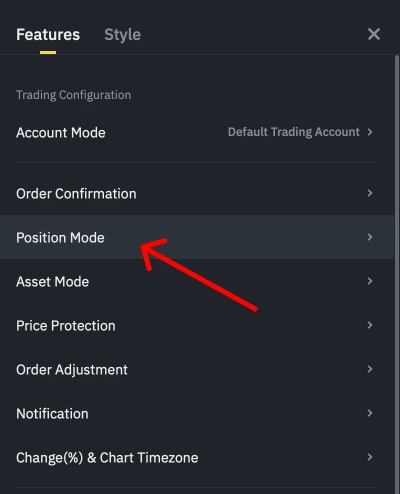
Step 2 - Set the Position Mode
- Set Your Desired Position Mode.
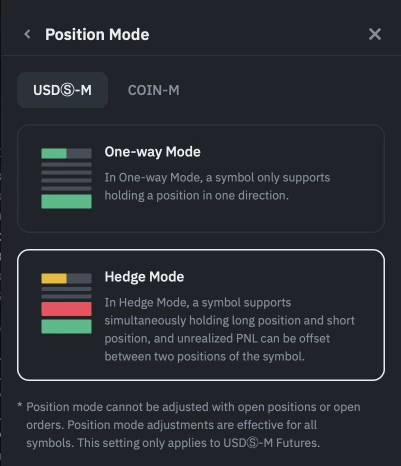
Important:
Your position mode on the bot should match the exchange's position mode.
- Set the Position Mode on the Bot.
During the bot creation step, ensure your position mode matches the exchange's mode.
