Spot Orders
Overview of how your executed spot order should look.
Overview
Here’s an example of how your orders tab will look for spot orders:
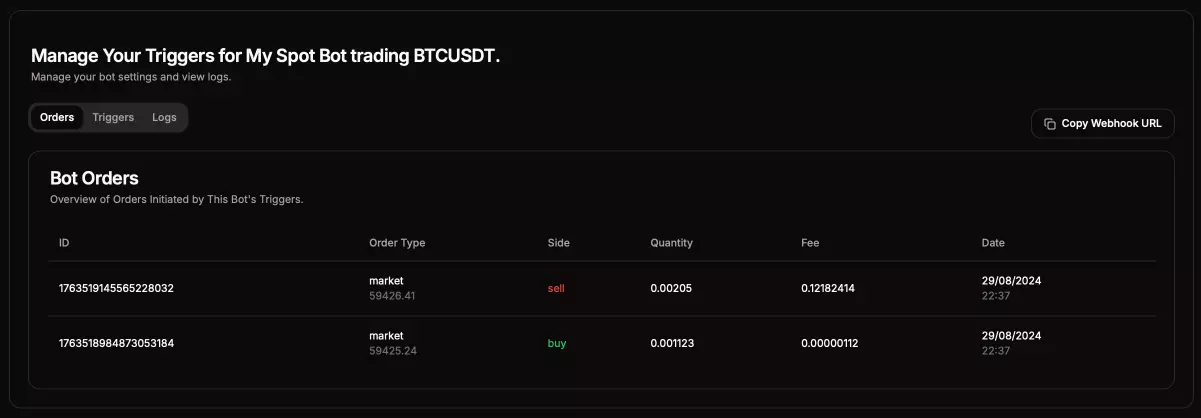
Order Information Breakdown
- Order ID: The unique identifier for the order as placed on the exchange.
- Price: Displays the type of order (
MarketorLimit) along with the execution price. Note that the price may differ slightly due to slippage between when the bot received the order and when it was executed. - Side: Indicates the direction of the order:
Buy/LongorSell/Short. - Quantity: The size of the order in the base asset, such as BTC (e.g., 0.001 BTC).
- Fee: Beta - The fee may vary between the base currency and its dollar value. This feature is currently in beta and will be improved to a standardized value.
- Date: The date and time when the order was placed.
Additional Information
For more detailed information on your orders, please visit the exchange directly.